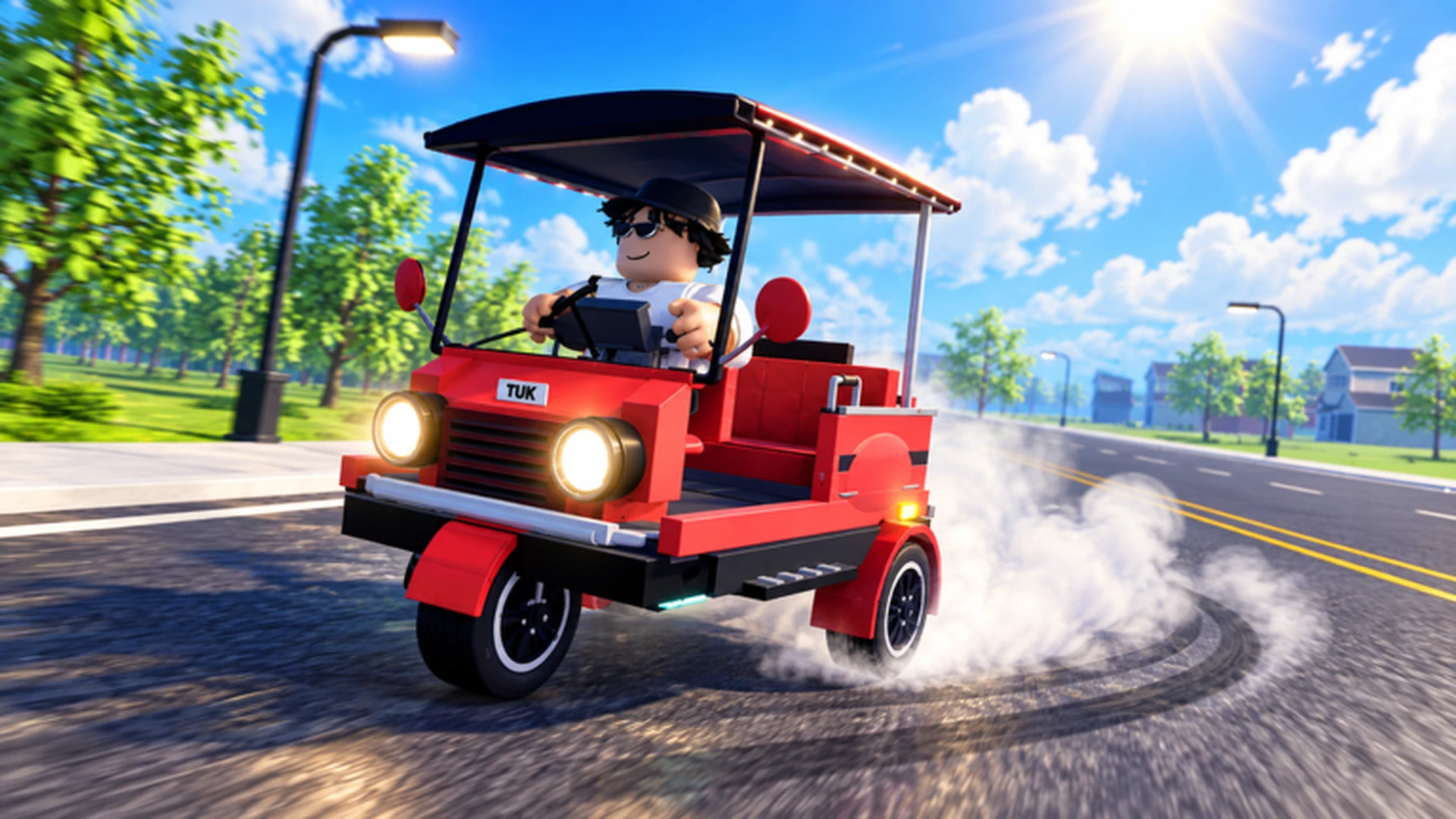
- Drive A Tuk Tuk city map features varied environments, weather, and day-night cycles that affect driving.
- Route knowledge matters more than raw speed: familiar short routes usually out-earn risky long ones.
- Handling upgrades pay off first when you are still learning corners and traffic patterns.
- Weather and night driving reduce visibility, so slow down before blind intersections.
- Daily and weekly quests often point you across the map, making navigation a core skill.
Understanding the Drive A Tuk Tuk City Map
The city map in Drive A Tuk Tuk is more than a backdrop. It is the foundation of every money run, quest, and race. The game supports different environments, weather conditions, and day-night changes, which means the same street can feel completely different depending on when you drive it.
Before chasing top speed upgrades, spend your first sessions learning the layout. Players who know where turns, junctions, and quest markers sit can complete runs with fewer crashes and restarts.
Video Highlights:
- Official gameplay trailer showing the core driving loop
- Examples of the red Tuk Tuk drifting through city streets
- Visual overview of environments and road layouts
Map Zones at a Glance
| Zone Type | Terrain Feel | Driving Challenge | Best Upgrade Focus |
|---|---|---|---|
| City streets | Tight turns, traffic | Frequent stops and corners | Handling, acceleration |
| Open roads | Long straights | Sustained high speed | Top speed |
| Residential areas | Narrow lanes | Precision steering | Handling, braking |
| Main avenues | Wide, crowded | Timing gaps in traffic | Acceleration, braking |
Run the same route three or four times before switching. Repeating a familiar loop builds muscle memory for corners and reduces wasted time far more effectively than exploring randomly.
Weather, Time of Day, and Visibility
The map changes character with the game's dynamic weather and day-night cycle. These shifts affect how much of the road you can see and how the Tuk Tuk responds, so adjust your driving rather than relying on one fixed approach.
| Condition | Effect on Driving | Recommended Adjustment |
|---|---|---|
| Clear day | Full visibility | Push speed on straights |
| Night | Reduced visibility, headlight reliance | Slow before intersections |
| Rain (if active) | Slicker handling feel | Smoother steering inputs, earlier braking |
| Fog (if active) | Short sight distance | Stay on known routes |
At night, blind corners and crossing traffic become far more dangerous. Ease off acceleration before every intersection instead of braking late, especially on unfamiliar roads.
Step-by-Step: Mastering Any Route
Drive the route slowly first
Complete the route at moderate speed once or twice. Note every major turn, obstacle, and stopping point before worrying about pace.
Identify the risky sections
Mark the corners where you tend to overshoot or collide. These are the sections where handling and braking upgrades give the biggest returns.
Upgrade the bottleneck
Invest in the attribute that limits the route most. If you lose time in corners, buy handling. If straights are the issue, add acceleration and top speed.
Time your full runs
Compare completion times across attempts. Small line adjustments through corners often save more time than another speed upgrade.
Link routes into a loop
Connect two or three efficient routes into a repeating circuit so you can farm distance and quest rewards without reopening the map.
A route you can finish cleanly and repeatedly beats a theoretically faster route that ends in crashes. Consistency is the core of earning cash in Drive A Tuk Tuk.
Route Types Compared
Different map activities reward different driving styles and builds. Match your setup to what you plan to do that session.
Quest Routes
- Daily and weekly objectives
- Span multiple map areas
- Rewards steady income
- Balanced build fits best
Money Loops
- Short, repeatable circuits
- Distance-based earnings
- Low crash tolerance
- Prioritize acceleration
Race Routes
- Speed-focused paths
- Demand precise cornering
- Reward route knowledge
- Prioritize top speed
| Route Type | Key Skill | Upgrade Priority | Best Stage |
|---|---|---|---|
| Quest routes | Navigation | Handling, balanced stats | All stages |
| Money loops | Consistency | Acceleration, braking | Early to mid |
| Race routes | Corner control | Top speed, handling | Mid to late |
Map Progression Checklist
City Map Mastery Goals:
- Memorize one full route without opening the map
- Identify three risky corners on your main loop
- Complete a daily quest using only familiar roads
- Link two routes into a single repeatable circuit
- Finish a night run without a major collision
Map changes can arrive with version updates. Check the official Drive A Tuk Tuk Roblox page and the Lumora Inc. community for announcements about new areas and route changes.
FAQ
Q: Does the Drive A Tuk Tuk city map change with updates?
Yes. The developers have added new environments and systems through updates, so routes and map details can change over time. Re-check familiar routes after major updates before relying on old muscle memory.
Q: Does weather actually affect driving performance?
The game features weather and day-night variation that changes visibility and the feel of the roads. Night driving in particular rewards a more cautious approach at intersections and unfamiliar corners.
Q: Should I explore the whole map early?
Only loosely. Get a general sense of where quest markers and main roads are, but focus your practice on one or two routes first. Mastery of a small area earns more than shallow knowledge of the entire map.
Q: Which upgrades help most with map navigation?
Handling and acceleration help most early on because they reduce mistakes in corners and traffic. Invest in top speed only after you can complete your usual routes cleanly, since extra speed amplifies errors.