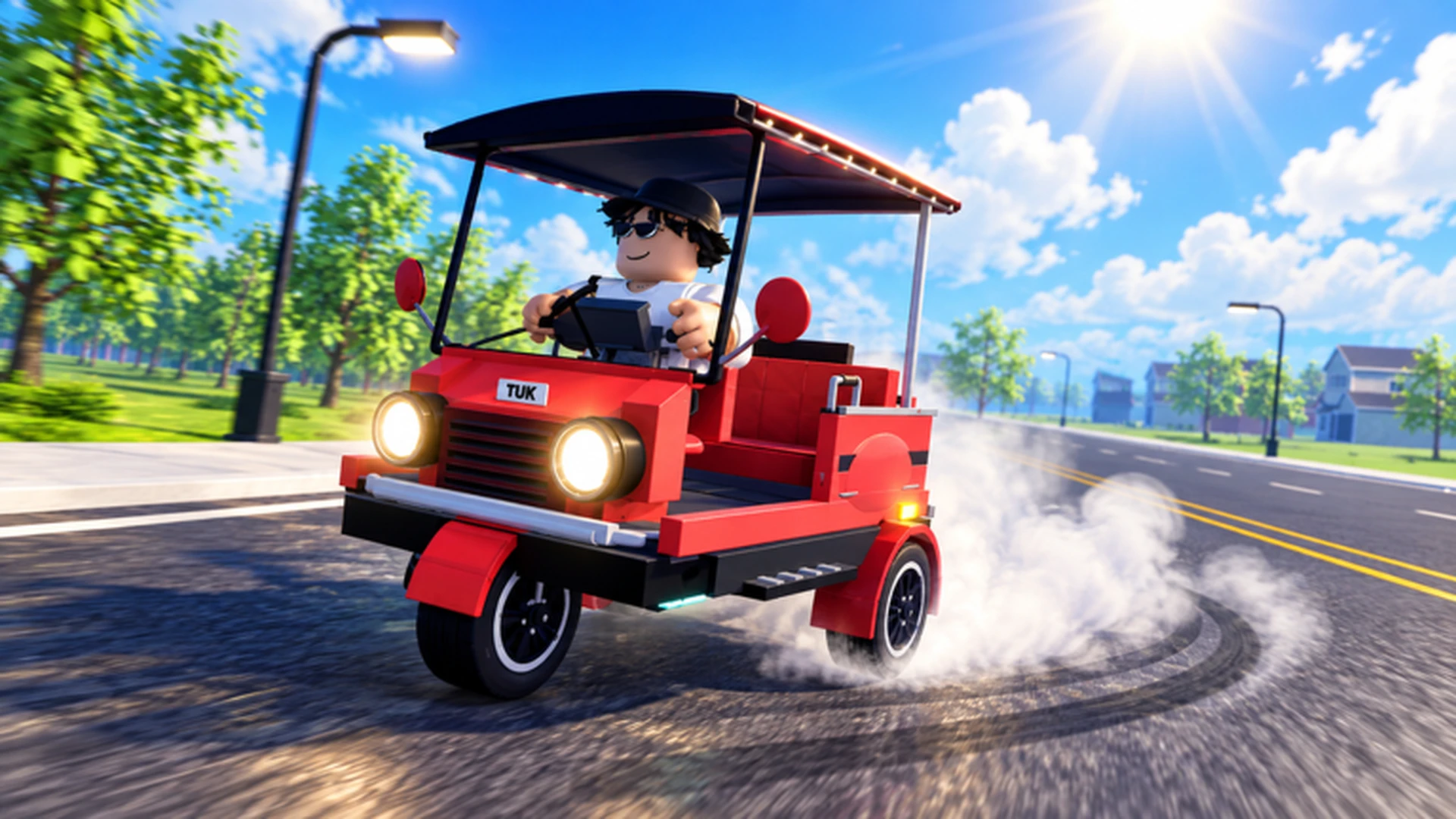
- Drive A Tuk Tuk is a Roblox driving simulator where you drive, earn cash, and upgrade your three-wheeler.
- Core loop: Drive to earn cash, invest in speed and handling upgrades, unlock faster Tuk Tuks.
- Progression extras: Complete daily and weekly quests, join races, and customize colors, wheels, and lights.
- Controls: WASD on PC, on-screen buttons on mobile, left stick plus prompts on controller.
- Beginner priority: Upgrade acceleration and handling before spending on cosmetics.
Drive A Tuk Tuk Basics: What the Game Is About
Drive A Tuk Tuk is a Tuk Tuk driving simulator on Roblox, developed by Lumora Inc. The game rewards time spent behind the wheel: every kilometer driven generates cash, which you reinvest into performance upgrades, vehicle unlocks, and visual customization. The world features varied environments, weather changes, and a day-night cycle that keeps long farming sessions fresh.
Video Highlights:
- Official gameplay trailer showing the core drive-and-earn loop
- Demonstration of Tuk Tuk handling, upgrades, and customization
- Look at environments and weather variety
The game's progression is straightforward, which makes it friendly for new players but deep enough for optimization-focused veterans.
| Game Element | What It Does | Why It Matters |
|---|---|---|
| Driving | Earns cash based on distance and speed | Main income source |
| Upgrades | Improve speed, acceleration, handling, brakes | Boost earning efficiency |
| Customization | Colors, wheels, lights | Purely visual flair |
| Quests | Daily and weekly objectives | Bonus income and goals |
| Vehicle unlocks | Faster Tuk Tuks | Long-term progression |
Open the official Drive A Tuk Tuk Roblox game page and join the Lumora Inc. community for announcements and potential reward drops.
Controls on Every Platform
Before earning anything, you need confident control of your Tuk Tuk. Roblox layouts differ by platform, so use the table that matches your device.
| Action | PC | Mobile | Controller |
|---|---|---|---|
| Accelerate | W | On-screen forward button | Displayed acceleration prompt |
| Turn left / right | A / D | On-screen steering | Left analog stick |
| Brake / reverse | S | On-screen brake button | Displayed brake prompt |
| Interact | Click prompts | On-screen interact button | Displayed interaction prompt |
Tuk Tuks are light three-wheelers. Use short steering inputs near tight corners instead of holding a direction, and release acceleration before sharp turns to avoid spinning off the road.
Platform-specific habits that help:
- PC: Feather the W and S keys for smooth speed control on technical routes.
- Mobile: Keep steering inputs small; large swipes oversteer the vehicle.
- Controller: Use gradual analog-stick movement for smoother cornering at higher speeds.
Step-by-Step: Your First Session
Follow this sequence to build a strong foundation in Drive A Tuk Tuk without wasting early cash.
Practice basic driving
Spend your first minutes accelerating, braking, steering, and reversing in a low-risk area. Your goal is turning without collisions and holding a steady line.
Run the earning loop
Use the starter Tuk Tuk on driving activities to learn how travel converts into cash and progression resources. Consistency matters more than speed at this stage.
Upgrade your bottleneck
Put early cash into the attribute that most limits you, usually acceleration or handling, instead of spreading a small budget across every option.
Pick a progression focus
Choose speed, handling, durability, or a balanced route based on your playstyle, and stick with it until the setup is stable.
Add quests and races
Once driving feels natural, layer in daily and weekly quests and try races for bonus rewards and variety.
If you can complete a familiar route without crashes and have bought at least one meaningful performance upgrade, you have graduated from beginner to mid-game progression.
Upgrades and Builds: Where to Spend Cash
Upgrade priority determines how fast your income grows. Performance improvements that shorten trips and prevent crashes compound over time; cosmetics do not.
| Upgrade | Effect | Priority | Best For |
|---|---|---|---|
| Acceleration | Reaches driving speed faster after stops | High | New players, short routes |
| Handling | More predictable steering in turns | High | Tight roads, mobile players |
| Braking | Shorter stopping distance | Medium | Crowded areas, sharp turns |
| Top Speed | Higher maximum speed | Medium | Long straights, experienced drivers |
| Cosmetics | Colors, wheels, lights | Low | After performance is solid |
Speed Build
- Priority: Acceleration, then top speed
- Best for racing and fast travel
- Tradeoff: punishes mistakes harder
Handling Build
- Priority: Handling first
- Best for new drivers and technical routes
- Tradeoff: lower maximum speed
Balanced Build
- Priority: Fix weakest attribute
- Best for general progression
- Tradeoff: no peak specialty
A simple rule for how to play efficiently: every cash purchase should either reduce your completion time or prevent failed runs. If it does neither, save the money.
Earning Cash and Beating Quests
The money system rewards repeatable, controlled driving. Compare the main income methods before planning your session.
| Method | Efficiency | Best Stage | Notes |
|---|---|---|---|
| Regular driving tasks | Steady | Early game | Reliable starting income |
| Repeated short routes | Consistent | Early to mid | Fewer mistakes, easy to repeat |
| Long routes with upgrades | High | Mid to late | Requires performance build |
| Quest rewards | Bonus | All stages | Daily and weekly objectives |
| Reinvested upgrades | Indirect boost | All stages | Improves future earning speed |
Quest strategy in three points:
- Check daily quests first each session so ordinary driving also progresses objectives.
- Stack weekly quests with routes you already run for double credit on the same kilometers.
- Race when confident: races reward driving skill, but crashes waste more time than they earn.
Do not chase theoretically profitable routes you cannot complete cleanly. A slightly lower-paying route finished without crashes almost always outperforms a risky one.
First Week Goals:
- Master controls without frequent collisions
- Buy first acceleration or handling upgrade
- Complete three daily quests in one session
- Establish a repeatable cash route
- Test one race with a stable build
FAQ
Q: How do you play Drive A Tuk Tuk?
Drive your Tuk Tuk to earn cash, complete daily and weekly quests, and reinvest earnings into speed, acceleration, handling, and braking upgrades. Over time you unlock faster Tuk Tuks and customize colors, wheels, and lights.
Q: What are the best first upgrades?
Acceleration and handling. Acceleration shortens every start and stop, while handling prevents the crashes and missed turns that waste the most time. Invest in top speed only after control feels comfortable.
Q: Is Drive A Tuk Tuk free to play?
Like other Roblox experiences, the game is accessible through the Roblox platform at no mandatory cost, with optional in-game purchases typical of Roblox simulators.
Q: Does the game have redeem codes?
No publicly verified redemption codes are currently listed for Drive A Tuk Tuk. Watch the game description and the official Lumora Inc. Roblox community for any future reward announcements.